Enigma (Text Encoding)1.1
Publisher Description
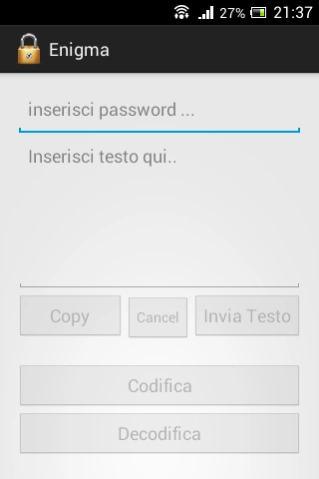
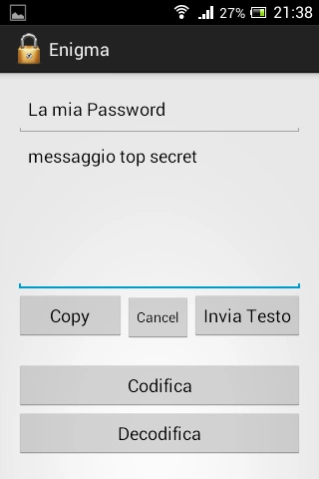
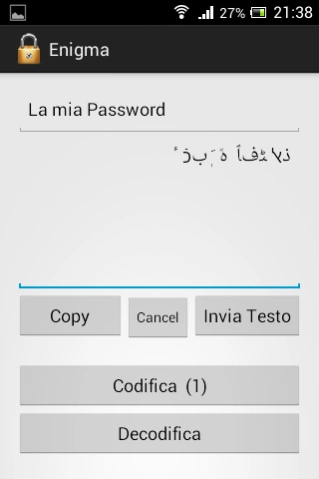
Encode and Decode your most important messages!
Enigma allows you to encode, decode and send all the messages you think should be protected.
Here's how to use it:
-Choose one or more passwords shared with your recipient, or just for yourself
(the recipient will have to know the procedure to decode the message);
-Choose the number of encodings/decodings to apply
(you can encode even pressing decode, a complex encoding procedure makes cracking it harder);
-Encoding:
->type the password/passwords in the first field;
->insert in the second field the text you want to encode;
->press codifica/decodifica as many times as you need;
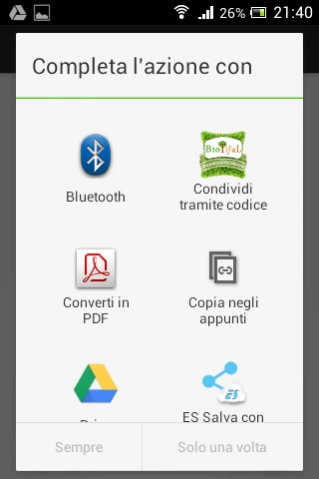
->Copy and Paste where you want, or press Invia Testo to send it with an external app ;)
-Decoding:
->copy encoded text and paste it in the second field;
->type the password in the first field;
->press codifica/decodifica the agreeded amount of times;
->here's your standard text!
How does it work:
This application is inspired by the Enigma machine , used during World War II to encrypt communications .
In any computer system , a letter is represented by a numeric value , so after processing the values of the password thanks to them the values of the text can be transformed. Here is a simplified example : if "A " = 1 , "B" = 2 , "C" = 3 etc . using " A" as a password text " ABC " would become " BCD " .
PAROLE CHIAVE: text encoding, security,cryptography,UTF-8,messages,privacy
About Enigma (Text Encoding)
The company that develops Enigma (Text Encoding) is NucleoLab. The latest version released by its developer is 1.1.
To install Enigma (Text Encoding) on your Android device, just click the green Continue To App button above to start the installation process. The app is listed on our website since 2014-11-20 and was downloaded 16 times. We have already checked if the download link is safe, however for your own protection we recommend that you scan the downloaded app with your antivirus. Your antivirus may detect the Enigma (Text Encoding) as malware as malware if the download link to com.nucleo.gimir_000.enigma is broken.
How to install Enigma (Text Encoding) on your Android device:
- Click on the Continue To App button on our website. This will redirect you to Google Play.
- Once the Enigma (Text Encoding) is shown in the Google Play listing of your Android device, you can start its download and installation. Tap on the Install button located below the search bar and to the right of the app icon.
- A pop-up window with the permissions required by Enigma (Text Encoding) will be shown. Click on Accept to continue the process.
- Enigma (Text Encoding) will be downloaded onto your device, displaying a progress. Once the download completes, the installation will start and you'll get a notification after the installation is finished.
Program Details
System requirements
Download information
Pricing
Version History
version 1.1
posted on 2014-11-20
versione 1.1
